


Arc is an EVM-compatible Layer 1 blockchain developed by Circle and designed for financial applications, stablecoin payments, onchain markets and real-time money movement.
Unlike most EVM networks, Arc uses USDC for transaction fees. Users do not need ETH or another separate native token to pay gas.
With Defiway, users can bridge USDC and USDT to Arc Chain and move them back to another supported network with a fixed 0.2% bridge fee.
What Is Arc Chain?
Arc is an open Layer 1 blockchain developed by Circle.
Arc public mainnet launched in September 2026 and is designed around stablecoins, payments, financial markets and other onchain financial applications.
The network is EVM-compatible, allowing developers and users to work with familiar Ethereum-based wallets, smart contracts and tooling.
One of the main differences between Arc and most other EVM networks is its gas model. Instead of requiring a separate volatile token such as ETH, BNB or POL, Arc uses USDC to pay transaction fees.
Arc also uses deterministic sub-second finality, allowing transactions to reach final settlement quickly.
Key network details include:
- Network: Arc Mainnet
- Chain ID: 5042
- Gas token: USDC
- EVM-compatible: Yes
What Assets Can You Bridge to Arc Chain With Defiway?
Defiway currently supports two stablecoins for Arc Chain transfers:
- USDC
- USDT
Both assets can be transferred to Arc Chain and from Arc Chain back to another supported network.
Defiway connects Arc Chain with 11 networks.
EVM-compatible networks:
- Ethereum
- BNB Chain
- Polygon
- Arbitrum
- Base
- Optimism
- Linea
- Robinhood Chain
Other supported networks:
- Tron
- TON
- Solana
Arc is therefore connected with every other network in the current 13-network Defiway lineup except Bitcoin.
Users are not limited to an Ethereum-to-Arc route. USDC and USDT can be moved between Arc and supported ecosystems such as BNB Chain, Tron, Solana, TON, Base, Arbitrum, Optimism and Robinhood Chain.
The live Defiway Bridge interface should always be treated as the final source for current route availability and transaction limits.
What Is USDC on Arc?
USDC plays a central role in the Arc ecosystem.
Circle supports USDC directly on Arc, and the network also uses USDC as its gas token.
This creates an important difference compared with many other blockchains.
On Ethereum, a wallet holding USDC still needs ETH to pay transaction fees. On BNB Chain, users need BNB. On Polygon, gas is paid with POL
On Arc, USDC itself is used to pay network fees.
USDC on Arc can be used for:
- Stablecoin transfers
- Payments and settlement
- Trading and swaps
- Lending and borrowing
- Interacting with decentralized applications
- Paying Arc network fees
- Other supported onchain financial applications
For users entering Arc for the first time, bridging USDC provides both stablecoin liquidity and the asset required to pay for future transactions.
What About USDT on Arc?
Defiway also supports USDT transfers involving Arc Chain.
This gives users another stablecoin option when moving liquidity between Arc and other supported networks.
There is one important difference between bridging USDC and USDT to Arc: network fees on Arc are paid in USDC.
A wallet holding USDT but no USDC may therefore be unable to initiate another transaction from Arc.
Users bridging USDT to a new Arc address should keep a small amount of USDC available for gas.
Why Bridge Stablecoins to Arc Chain?
Arc is built around stablecoin-based financial activity, making USDC and USDT useful assets for users moving liquidity into the ecosystem.
Bridging stablecoins to Arc can be useful for:
- Moving dollar-denominated assets between blockchain ecosystems
- Accessing applications available on Arc
- Stablecoin payments and transfers
- Trading and swapping
- Lending and borrowing
- Managing multichain liquidity
- Using USDC to pay Arc network fees
- Moving assets between EVM and non-EVM ecosystems
Defiway expands the available routes beyond Ethereum by connecting Arc with 11 other blockchain networks.
What You Need Before Bridging
Prepare the following before starting the transaction.
1. USDC or USDT on a Supported Network
Your assets must be held on one of the networks available for the selected Defiway route:
Bitcoin is not currently supported for Arc Chain routes.
The source asset and network must match the options selected inside the Defiway Bridge interface.
2. A Compatible Wallet
Your wallet must support the source network.
Common examples include:
- MetaMask or another EVM-compatible wallet for Ethereum, BNB Chain, Polygon, Arbitrum, Base, Optimism, Linea and Robinhood Chain
- TronLink or another compatible wallet for Tron
- Phantom or another compatible wallet for Solana
- A TON-compatible wallet for TON
Arc itself is EVM-compatible and uses standard 0x addresses.
3. An Arc Receiving Address
Enter the wallet address that should receive USDC or USDT on Arc.
In many cases, the same 0x wallet address can be used across several EVM-compatible networks.
However, the networks remain separate. Having USDC at an address on Ethereum does not mean that the same balance automatically exists on Arc.
4. Native Gas on the Source Network
You need enough of the source blockchain's gas token to submit the transaction.
Depending on the network, this may include:
- ETH on Ethereum, Arbitrum, Base, Optimism or Linea
- BNB on BNB Chain
- POL on Polygon
- TRX on Tron
- TON on TON
- SOL on Solana
- ETH on Robinhood Chain
These gas charges are paid to the source blockchain and are separate from the Defiway bridge fee.
When sending assets from Arc, gas is paid in USDC.
How to Bridge USDC or USDT to Arc Chain
Step 1: Open Defiway Bridge
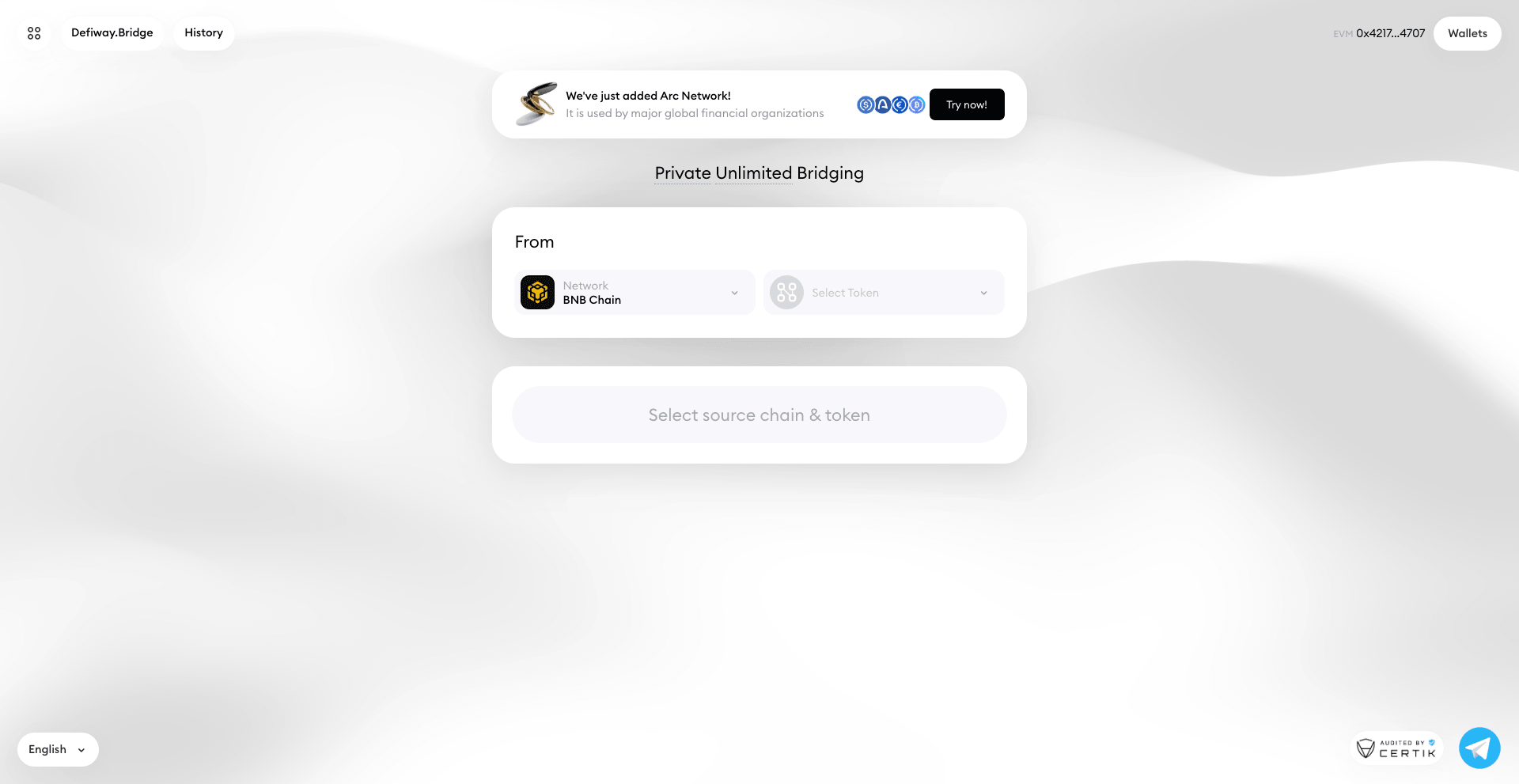
Open the official Defiway Bridge interface.
Check the website address before connecting a wallet or entering a receiving address. Avoid bridge links sent by unknown accounts or unofficial support representatives.
Step 2: Choose the Source Network
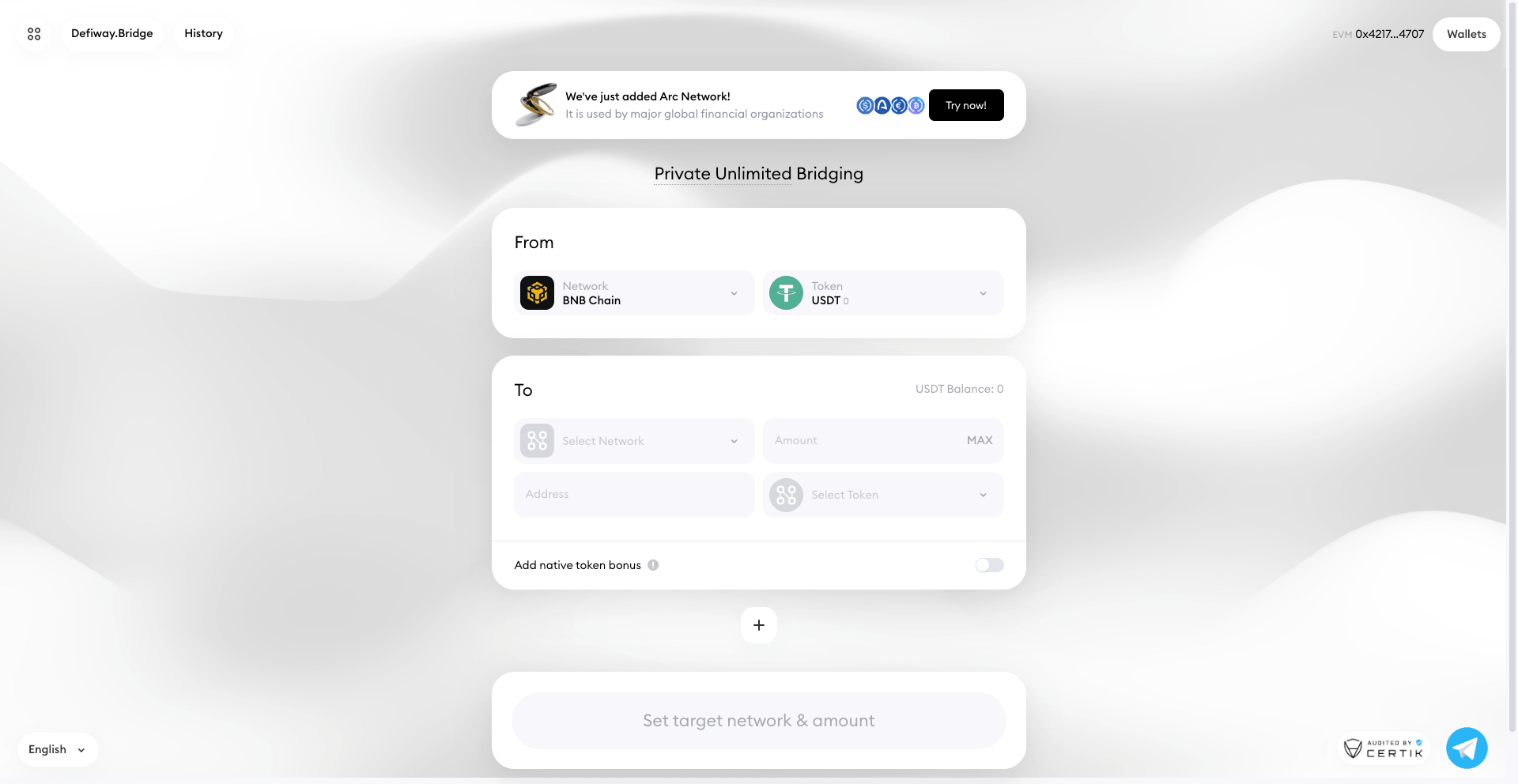
Select the blockchain where your USDC or USDT is currently held.
Make sure you choose the actual network holding the funds. USDC on Ethereum and USDC on Arbitrum are separate blockchain balances.
Step 3: Select Arc Chain as the Destination

Choose Arc Chain in the destination network field.
Check the destination carefully before continuing.
Step 4: Select USDC

Choose the stablecoin you want to transfer:
- USDC
Only use assets displayed as available for the selected route.
Step 5: Enter the Transfer Amount
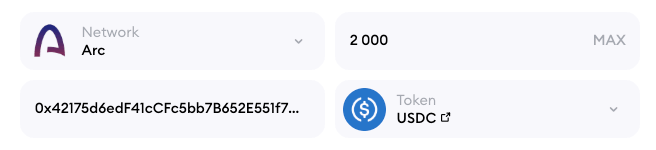
Enter the amount you want to bridge.
Defiway applies a fixed 0.2% bridge service fee. Blockchain gas fees are calculated separately and depend on the source network.
Step 6: Enter or Confirm the Receiving Address
Provide the Arc address that should receive the funds.
Check the complete address before continuing.
When using a new wallet or route for the first time, consider making a smaller test transaction before transferring a larger amount.
Step 7: Review the Transaction
Before confirming, verify:
- The source network is correct
- Arc Chain is selected as the destination
- The token is USDC or USDT
- The transfer amount is correct
- The receiving address is correct
- The source wallet contains enough native gas
- The displayed fee is acceptable
- The estimated received amount is correct
Review all details before submitting the transaction.
Step 8: Submit the Transaction
Confirm the transfer according to the instructions displayed by Defiway and your wallet.
Once the source transaction has been broadcast, save the transaction hash so that the transfer can be tracked if necessary.
Step 9: Wait for Network Confirmations
Completion time depends on the source blockchain, required confirmations, network conditions and selected route.
Defiway transfers can be completed in under one minute on many routes, although actual processing time can vary.
Step 10: Check Your Arc Balance
Switch your wallet to Arc and check the receiving address.
If the balance does not immediately appear inside your wallet, verify the address on a compatible Arc block explorer before attempting another transfer.
Do not repeat the bridge transaction simply because a wallet interface has not refreshed yet.
How to Bridge From Arc Chain
Defiway supports transfers in both directions.
USDC and USDT can be moved from Arc to another supported network.
To bridge from Arc:
- Connect the wallet holding your assets
- Select Arc Chain as the source
- Choose a supported destination network
- Select USDC or USDT
- Enter the transfer amount
- Enter or confirm the receiving address
- Review the bridge fee and estimated received amount
- Make sure the Arc wallet contains enough USDC for gas
- Submit the transaction
- Track the transfer until the destination funds arrive
Available destination networks include:
- Ethereum
- BNB Chain
- Tron
- Polygon
- Arbitrum
- Base
- Optimism
- Linea
- TON
- Solana
- Robinhood Chain
Bitcoin is not currently available for Arc Chain transfers through Defiway.
Defiway Fees for Arc Chain Transfers
The total cost of an Arc transfer can include two components.
Defiway Bridge Fee
Defiway charges a fixed bridge fee of 0.2%.
For example:
- 100 USDC transfer: 0.20 USDC service fee
- 1,000 USDC transfer: 2 USDC service fee
- 10,000 USDC transfer: 20 USDC service fee
The same 0.2% fee structure applies to supported USDT transfers.
The final received amount can also be affected by source-chain gas and the specific route displayed before confirmation.
Blockchain Gas Fee
The source network charges its own transaction fee.
Gas costs vary between blockchains and can change depending on network activity.
For transfers into Arc, gas is paid using the source blockchain's native gas asset.
For transfers originating on Arc, gas is paid in USDC.
Always review the complete transaction cost before submitting the transfer.
Defiway and Arc Interoperability
Arc has its own interoperability infrastructure for moving assets such as USDC across supported blockchains.
Defiway provides an additional option for users who need broader network and asset coverage through one bridge interface.
The Defiway Arc integration includes:
- USDC support
- USDT support
- 11 connected networks
- Major EVM networks
- Tron
- TON
- Solana
- Robinhood Chain
- Transfers in both directions
- Fixed 0.2% bridge fee
This can be particularly useful when assets are already held on networks such as Tron, TON, BNB Chain or Solana and the user wants to transfer them directly to Arc without routing everything through Ethereum first.
Important Arc Gas Difference
The most important technical detail for new Arc users is the network's gas model.
Arc uses USDC to pay transaction fees.
Users bridging USDC therefore receive an asset that can also be used to pay for their next Arc transaction.
Users bridging USDT should keep some USDC in the wallet.
Sending the entire USDC balance out of Arc can also leave the wallet without enough USDC to pay for another transaction.
Conclusion
Defiway provides a direct way to bridge USDC and USDT between Arc Chain and 11 other blockchain networks.
Supported Arc connections include:
- Ethereum
- BNB Chain
- Tron
- Polygon
- Arbitrum
- Base
- Optimism
- Linea
- TON
- Solana
- Robinhood Chain
Transfers are available both to and from Arc.
Bitcoin is currently the only other network in Defiway's 13-network lineup that is not available for Arc transfers.
Defiway charges a fixed 0.2% bridge fee, while blockchain gas fees are calculated separately.
The main technical detail to remember is that Arc uses USDC for gas. Users receiving USDC can use the same balance for future network transactions, while users receiving USDT should make sure they also have some USDC available.